

Google Ads conversions without actual leads can mean you’re counting the wrong actions, recording duplicates or losing enquiries before they reach you. Start by checking what Google counts, then compare those actions with your form submissions, call records and customer enquiries. If you run a service business that depends on quote requests, appointments or booked jobs, that comparison matters far more than a monthly report.
Why does Google Ads show conversions when no leads arrive?
A conversion is an action your tracking setup tells Google to count. It might represent a completed enquiry, but it could also be a button click, a phone-number tap or a page visit.
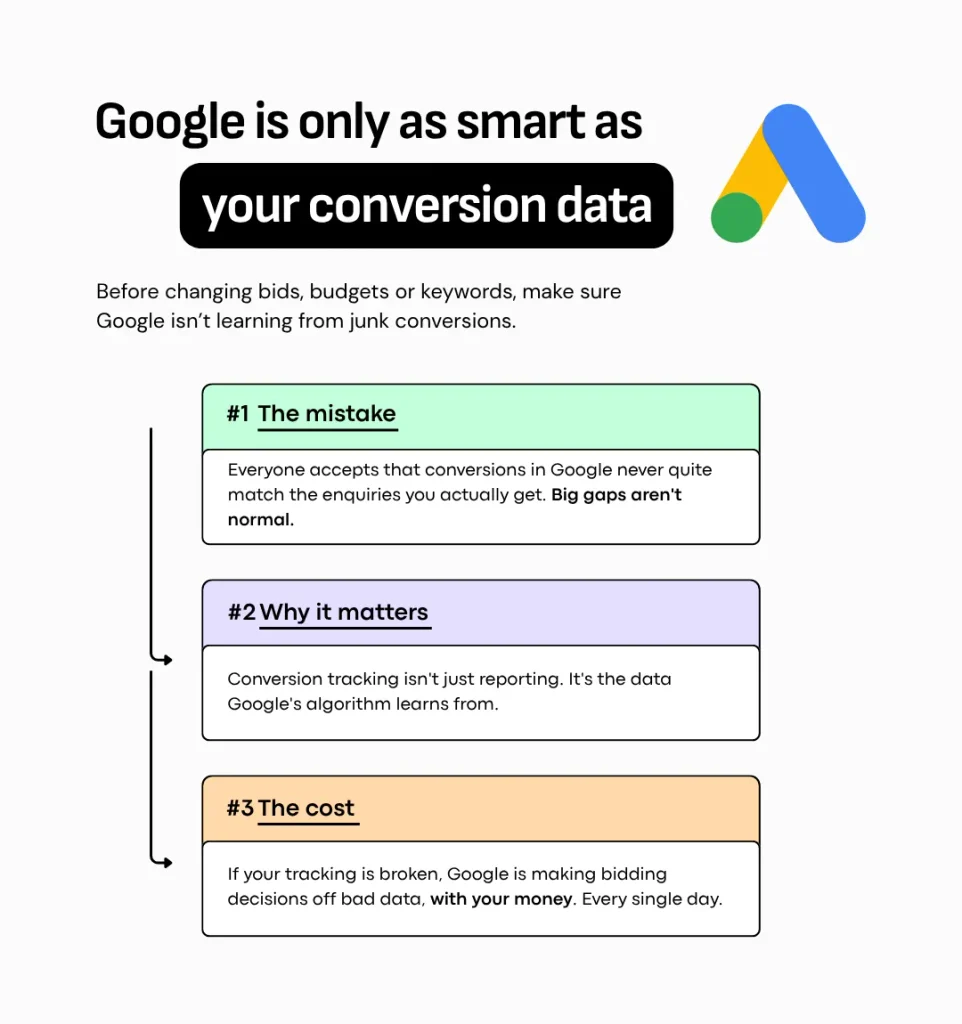
Google doesn’t know that the plumber’s phone stayed quiet or the accountant’s inbox is empty. It sees the signals you send it.
And when you use Smart Bidding, Google’s automated bidding system, those signals can influence where your money goes.
There’s an important distinction here. Primary conversion actions can guide bidding when their goal is selected for the campaign. Secondary actions are generally for observation, although including them in a custom goal makes them eligible for bidding too. Google explains primary and secondary conversions here.
So tracking a button tap isn’t automatically the problem.
Calling it an enquiry, reporting it as an enquiry and asking Google to find more of it is where things go sideways.
You wanted people requesting quotes. You may have taught the system to look for people who press buttons.
With your money.
Which tracking mistakes make conversions look like leads?
Common problems include counting attempted form submissions, treating phone taps as completed calls and recording the same enquiry through several conversion actions. These inflate activity without necessarily producing another person you can contact.
Here’s what that looks like in practice:
- The form never submits. Someone presses “Request a quote”, but a required field is missing. The click tracking fires anyway.
- Repeated attempts create repeated events. The page appears stuck, so the visitor presses the button again. Whether those events become multiple reported conversions depends on your setup and counting settings.
- A phone tap becomes a supposed lead. The visitor opens their dialler, changes their mind or tapped accidentally.
- One enquiry appears under two actions. A Google Ads tag and an imported Google Analytics event both record the same completed form.
- The enquiry exists but never reaches your team. The website saves it, but the notification email or customer-system connection fails.
That last one matters. Sometimes the tracking has recorded a real submission and your business has lost it afterwards.
Phone taps can still be a reasonable compromise when you cannot measure connected calls. Just label them as phone taps and explain the limitation.
A clue that someone might contact you is useful. It is not confirmation that they did.
How can you check your Google Ads leads in 20 minutes?
Use 20 minutes for a first pass: choose a completed month, count the enquiries your business actually received and compare them with Google Ads by conversion action. Look for differences you cannot explain, rather than expecting every total to match perfectly.
You don’t need to understand the code behind your website to start.
1. Count actual enquiries.
Check form records, inboxes, call logs and your CRM, the system where you manage contacts and jobs.
Separate new enquiries from spam, suppliers and existing customers chasing an appointment. If someone submits a form and then calls about the same job, recognise that as one opportunity with two interactions.
2. Break down Google’s total.
In Google Ads, segment your report by conversion action. Find out how much of the total comes from forms, calls, phone taps and anything else.
Compare “Conversions” with “All conversions” so you know which total your monthly report uses.
3. Align the dates.
Google’s standard conversion reporting can assign a conversion to the date of the ad interaction. Your inbox records when the enquiry arrived.
Use “Conversions (by conv. time)” for a closer date comparison, or the equivalent “All conversions” column when reviewing all tracked actions. Keep the date range and time zone consistent. Google’s conversion reporting guidance explains these differences.
4. Separate sources where you can.
Your inbox includes enquiries from referrals, organic search and other channels. Those are not all Google Ads leads.
Compare enquiries attributed to Google Ads where reliable source information exists. Keep unknown sources separate instead of guessing.
In one real comparison, the numbers were 40 reported conversions against 12 enquiries.
That deserves an explanation. It does not, by itself, prove that all 28 remaining conversions were false. First check what was counted, which dates were used and whether several actions came from the same person.
The problem is the gap nobody can account for.
How should you track form submissions and phone calls?
Track forms after a successful submission, and measure actual calls where your setup allows it. Keep weaker signals clearly labelled so they do not quietly become confirmed enquiries in your reporting.
For forms, start with successful completion.
A dedicated thank-you page can be a straightforward improvement over tracking the submit button. The visitor should reach it only after the form has been accepted.
Keep that page out of search results with a noindex setting, but don’t mistake that for duplicate protection. Refreshes, repeat visits and direct access still need checking.
A successful-submission event, triggered when the website confirms acceptance, can be a better option where the form supports it.
Either way, test the whole journey. Did the website accept the enquiry? Was it saved? Did it reach the person responsible for responding?
Check the counting setting too.
Google’s “One” setting is generally appropriate for lead actions. It counts one conversion per ad interaction for that conversion action, rather than every occurrence.
It does not merge separate conversion actions or recognise every repeat enquiry from the same person. See Google’s conversion counting options.
For calls, measure more than the tap.
Call tracking can distinguish a phone-number click from a call that actually happened. With duration-based tracking, you can set a minimum length before a call counts as a conversion. Availability and setup vary. Google outlines the phone tracking options here.
A four-second wrong number should not carry the same weight as a proper enquiry.
But a longer call is not automatically qualified either. Someone can spend two minutes asking for a service you do not offer.
Leadtosale is one option I’d recommend.
Choose the tool around what you need to verify: connected calls, call outcomes and which enquiries became jobs.
Should your CRM send qualified leads back to Google Ads?
Yes, when your records and integration are reliable, sending qualified lead or booked-job outcomes back can give Google a more meaningful signal than an initial form fill. A new contact alone does not prove that the person is suitable or that a job was booked.
A CRM such as GoHighLevel gives you somewhere to organise the journey:
Enquiry received → qualified enquiry → quote or appointment → booked job
Define those stages in terms your team can apply consistently.
For an electrician, a qualified enquiry might be someone in the service area requesting work the business actually does.
For an accountant, it might be a prospective client seeking a service the firm offers and providing enough information for a useful follow-up.
A newsletter signup should not quietly count as either.
Google supports importing qualified and converted lead outcomes from your business systems. The connection needs to be configured and checked; installing a CRM does not automatically send accurate outcomes back. Read Google’s guidance on qualified and converted leads.
You can record several stages, but don’t add them together and call the total “new leads”. One person progressing through three stages is still one person.
Choose bidding goals with someone who understands both your tracking and how often those outcomes occur.
What if the tracking is accurate but you still get no booked jobs?
If genuine enquiries are arriving but jobs are not being booked, investigate lead quality and follow-up next. If the records exist but your team never sees them, fix the delivery problem before judging the ads.
Check where the journey stops:
- Enquiries are saved but unseen: inspect notification emails, spam folders and CRM connections.
- Calls arrive but go unanswered: review missed calls and callback handling.
- People want the wrong service: review search terms, targeting and what your ads promise.
- Suitable enquiries go quiet: review response times, quoting and follow-up.
- Appointments happen but jobs don’t: look at fit, pricing and the conversation after the initial enquiry.
Accurate measurement helps you find the problem. It does not make every enquiry a good one.
And if the technical side is outside your comfort zone, hire a tracking specialist. You can find specialists on platforms such as Upwork. Give them a clear brief and ask for evidence that the setup works.
The job is finished when the journey has been tested, not when someone says the tag is installed.
What should you ask your Google Ads agency?
Ask which reported conversions can be supported by enquiry records, which are estimates and which actions influence bidding. A useful answer explains the evidence and its limits in plain language.
I’d start with this:
Can you show me how the conversions in this report relate to the enquiries we received?
A real breakdown was 22 form submissions matched to the inbox, plus eight calls lasting more than 60 seconds.
That is something you can examine. The next questions are whether any people appear in both groups and whether those calls were genuine enquiries.
An honest answer might also identify phone taps as a proxy and explain why connected calls are not yet measured.
What you don’t want is a long speech about attribution with nothing you can check.
Yes, attribution is complicated. That is a reason to explain the limitations clearly.
My final thoughts
Before you change the ads or increase the budget, check what your conversion number actually means.
Compare it with your enquiries. Test a form. Inspect the call records. Find out which actions are teaching Google what success looks like.
You’re paying for opportunities to win work. Your reporting should help you see whether those opportunities exist.
I run Impacto, a Google Ads agency. If you’d rather have someone investigate the gap between your conversions and actual enquiries, get in touch and I’ll tell you what I’d check first.